


© 2025 Onward. All rights reserved.
Designed by BX Studio


When you leave an agency, what happens to your ad accounts and data depends on who owns them. If the accounts, pixels, and analytics properties were created under your company and the agency only had user access, you keep everything: campaign history, audiences, conversion data, and the learning the algorithms have built up. If the agency created them under its own business manager, manager account, or billing profile, you may need a transfer, and some assets may stay with the agency unless your contract says otherwise. The time to check is before you give notice.
An ad account is more than a login. It holds years of campaign structure, conversion history, audience lists, and the performance data that bidding algorithms use to find customers. Lose the account and you lose that learning, which often means weeks of weaker results while new campaigns relearn. A good performance marketing agency will set accounts up under your business from day one, because the history belongs to the brand, not the agency.

Agencies usually manage Google Ads through a manager account linked to your account. When the relationship ends, the link is removed and the account, with its history, stays where it is. Problems start when the account was created inside the agency's manager account with no admin user from your company, or when billing runs through the agency. Ask to be added as an admin and to move billing to your own payment profile before you announce the change.
On Meta, the business portfolio that owns an ad account controls it. If your business owns the account and the agency was a partner, you remove the partner and carry on. If the agency's portfolio owns it, moving it is much harder, and the practical options are often partner access from the agency or a new ad account in your own portfolio. Pixels and datasets follow the same logic: whoever owns them controls them. Check Meta's current Business Help Center guidance before you plan the exit.
Google Analytics properties and Google Tag Manager containers should sit in accounts your company controls, with the agency added as a user. Server-side tracking, conversion APIs, and connectors are easy to overlook. If they run on the agency's infrastructure, they can stop working the day the contract ends, and conversion reporting can quietly break.
This is where brands lose the most without realizing it. If reporting runs on the agency's warehouse, BI tool, or connector accounts, the dashboards and the historical data behind them may go with the agency. Ask who owns the warehouse, the transformations, and the connector subscriptions, and whether you can take a full export. Data you own in your own environment, such as a marketing data warehouse built under your accounts, stays with you.
Ad creative, source files, landing pages, and first-party audience lists are often covered by the contract rather than the platforms. Confirm that work you paid for is yours and that you will receive the files, not just the live ads.
Most exit problems trace back to a contract that never addressed ownership. A clear agreement should state that the client owns all ad accounts, tracking, analytics, data, and paid-for creative, and that the agency will hand over access and files within a set period after notice. It should also cover notice periods and any fees that continue after notice. These agency vetting questions include ownership questions worth asking before you sign with anyone.
Fee structure matters here too. An agency paid as a percentage of spend has more reason to keep control tight. A flat fee removes that incentive, which is one reason flat-fee agencies align incentives better as budgets grow.
For what happens after the handover, the agency transition playbook walks through a typical onboarding timeline with a new partner.
Onward works inside accounts the client owns, and any warehouse and dashboards it builds are set up in the client's environment. Engagements run on monthly contracts with a flat fee and $0 fees on ad spend, so if a client leaves, the accounts, data, and reporting stay with them.
Not if your company owns the ad accounts. History lives in the account, so removing an agency's access or manager link leaves it in place. You are most at risk when the account was created under the agency's business and never transferred.
If the agency owns the account, it controls it, and your options depend on your contract and the platform's rules. That is why ownership terms belong in the contract from the start. If an agency will not cooperate, you may need to rebuild in new accounts you own.
If the pixel or dataset belongs to the agency, tracking can stop or become unreliable after you leave. Make sure tracking assets are owned by your business, or plan to install and test new ones before the switch so conversion data does not break.
Only if they run on tools and data you own, or your contract says they will be handed over. Ask for a full export of the underlying data either way, so you can rebuild reporting if needed.
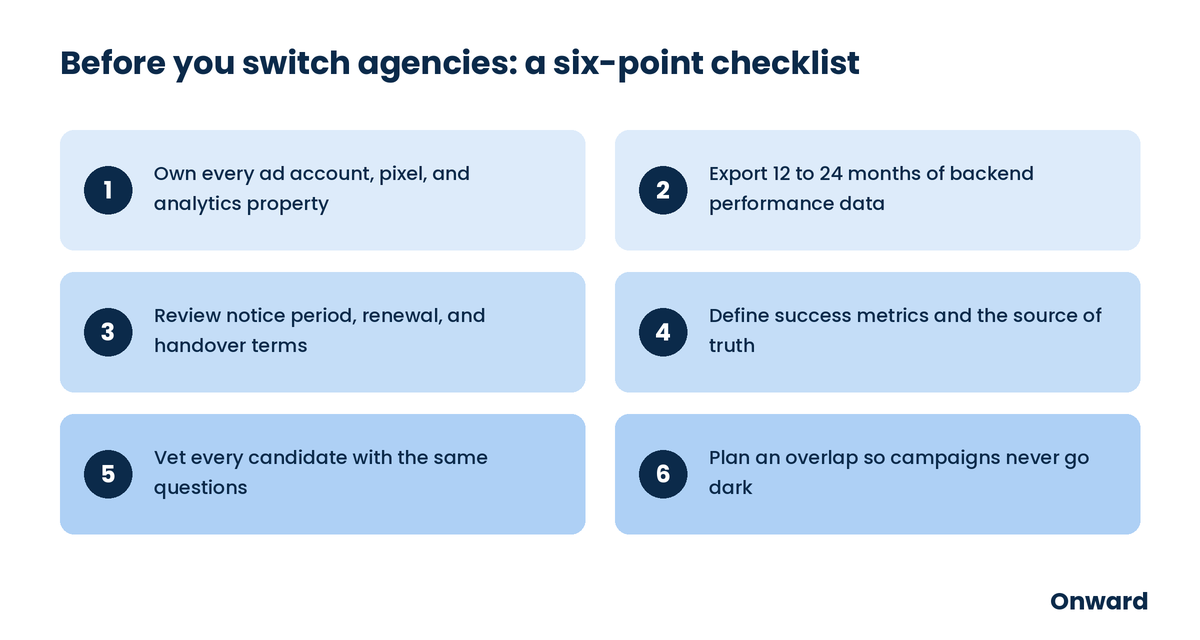
Leaving an agency is low risk when you own your accounts and high risk when you do not. Check ownership on every platform, secure admin access and billing, export your history, and make sure your contract covers what happens at exit. Do that first, and changing partners will not cost you your data.
If you want an outside review of who owns what in your accounts, schedule a free audit with Onward.