


© 2025 Onward. All rights reserved.
Designed by BX Studio


Answer engine optimization (AEO) for WordPress and WooCommerce comes down to five jobs: let AI crawlers reach your site, make your structured data clean and consistent, write product and category pages that answer buyer questions directly, keep your business details identical everywhere, and measure whether AI platforms name you and send customers. WordPress already handles much of the groundwork. Most of the work is fixing what plugins, themes, and security settings quietly break.
AEO is the work of getting your business named and cited when shoppers put a question to an AI assistant such as ChatGPT, Gemini, or Perplexity. For a WooCommerce store, that might be "best waterproof hiking boots under $200." For a WordPress service site, it might be "who does kitchen remodels near Austin." Assistants reply with a handful of options, and the businesses on that list get the click.
AEO builds on SEO rather than replacing it. Onward's answer engine optimization services start from the same foundation a strong SEO program uses, then add prompt tracking and copy built for citation.

An AI platform cannot recommend pages it cannot read. On WordPress, three places commonly block crawlers without anyone noticing:
Know which crawler does what before you allow or block it. As of October 2026, OpenAI documents three relevant user agents: OAI-SearchBot surfaces sites in ChatGPT search results, GPTBot collects content that may be used to train models, and ChatGPT-User visits pages when a person asks ChatGPT to, where robots.txt rules may not apply. A store can block GPTBot and still allow OAI-SearchBot if it wants search visibility without contributing to training. Other AI companies publish their own crawler names, so check each one's documentation. Google's AI features draw on pages indexed for Google Search, so blocking Googlebot removes you from both.
Structured data tells machines what a page is about. WooCommerce outputs Product markup in JSON-LD on single product pages by default, including name, image, description, SKU, and offer details such as price, currency, and availability. SEO plugins typically add Organization, WebSite, Article, and breadcrumb markup.
The common problems are gaps and duplicates:
Run key product, category, and service pages through Google's Rich Results Test and the Schema Markup Validator after any theme or plugin change. Pick one plugin to own each schema type and switch off the overlap. A 26-point AI search audit walks through the rest of the technical foundation.
AI assistants quote content that answers a question clearly in a few sentences. Most WooCommerce product descriptions are written as feature lists, and most category pages have no text at all. Prioritize the pages closest to a purchase:
Start from the questions buyers actually ask. Your support inbox, sales calls, and on-site search terms are better sources than a generic keyword list.
Assistants cross-check information about a business across the web. Your store name, address, phone number, return policy, and shipping terms should match on your site, Google Business Profile, marketplaces, social profiles, and directories. In your SEO plugin, fill in the Organization details completely, including logo and social profile links, so the markup matches what people see.
Some crawlers may not run JavaScript reliably, so content that appears only after scripts load can be missed. Check that product descriptions, prices, and FAQs appear in the page's HTML source. Caching and image optimization plugins help speed, but clear the cache after edits so crawlers do not see outdated prices.
Track two things: whether AI platforms name you, and whether that visibility produces orders.
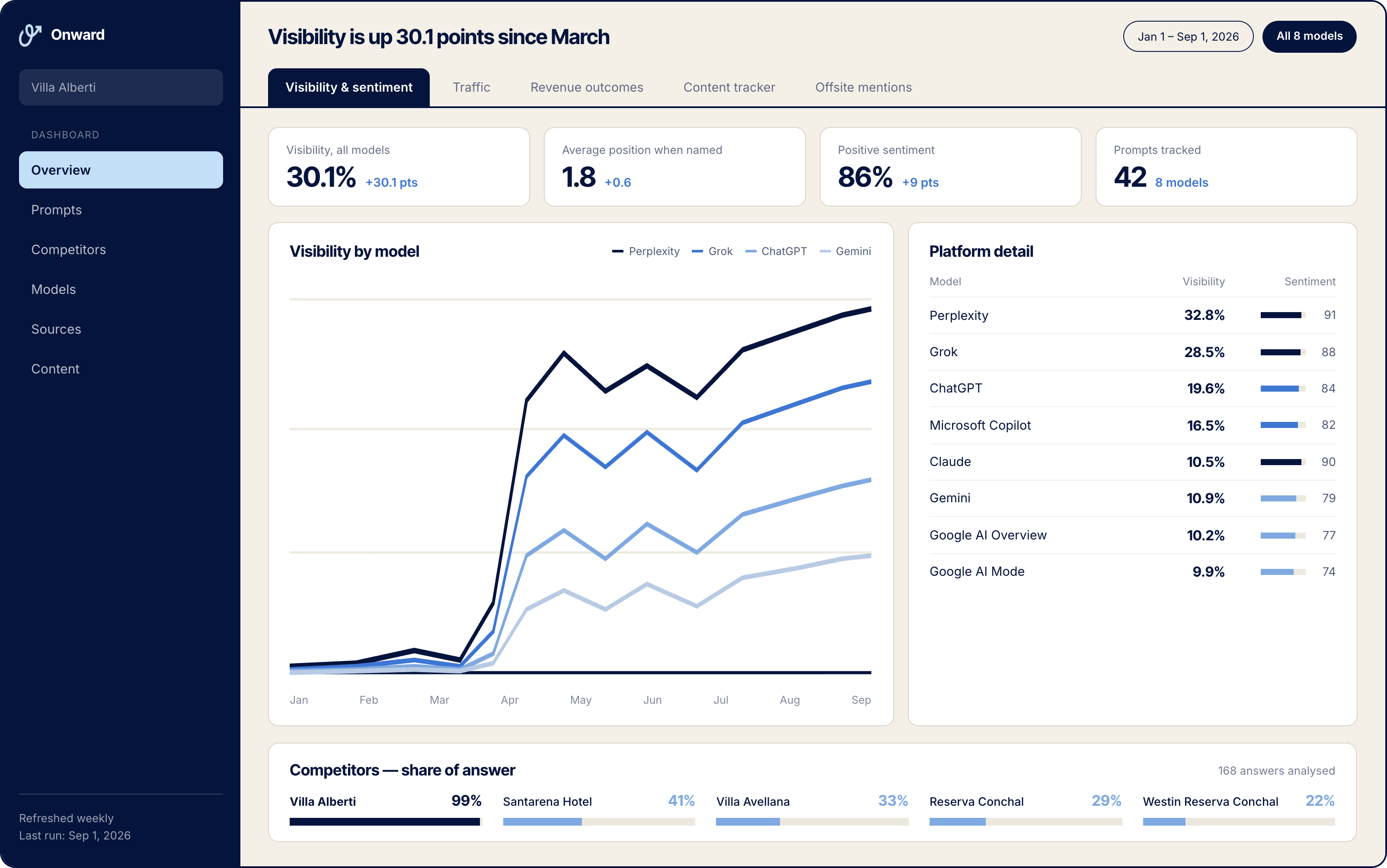
Results build over months. For Villa Alberti, AI visibility climbed roughly 15x between February and September, from under 1% of tracked booking prompts to nearly 13%, as shown in how a luxury villa won AI search visibility.
No single plugin handles AEO. A reputable SEO plugin covers most structured data and robots.txt needs. The bigger gains come from content that answers buyer questions and from measuring AI visibility.
It depends on whether you want your content used for model training. Blocking GPTBot does not block OAI-SearchBot, which is the crawler OpenAI uses for ChatGPT search results.
Technical fixes such as crawler access and schema cleanup can be done in days. Visibility gains from new and rewritten content usually take several months to show up consistently, so track prompts monthly and judge progress by quarter.
llms.txt is a proposed file that summarizes a site for AI systems. It is not an official standard, and support varies. It will not substitute for crawlable pages and clear content.
WordPress and WooCommerce give you most of the tools for AEO already. Open access for the right crawlers, fix duplicate or missing schema, rewrite your most important pages to answer questions, and measure visibility alongside orders. If you want to see how your store appears in AI answers today, schedule a free audit.


.svg)
